
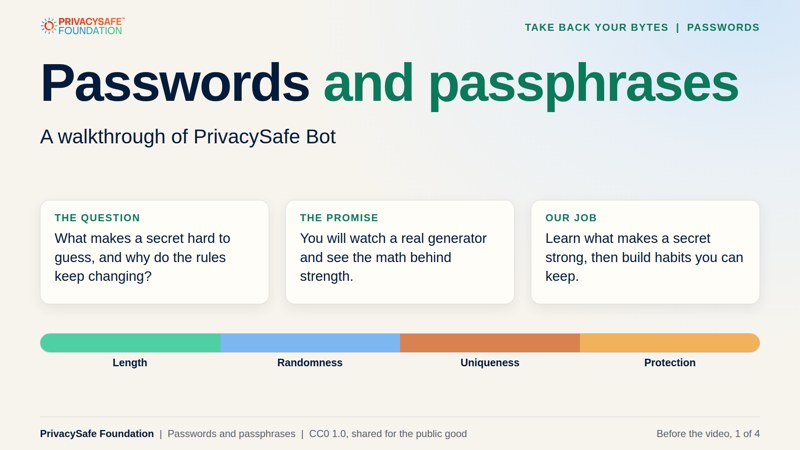
Passwords and passphrases.
A Take Back Your Bytes lesson: what makes a secret hard to guess, shown with a walkthrough of PrivacySafe Bot.
The whole lesson in under four minutes. Captions are on the picture and music is built in. Press the speaker button for sound. Also available: the dark version for projecting and subtitle files for the light and dark videos.
A one-minute walkthrough of PrivacySafe Bot. Background music only, with no narration. Music: “Mall” by Komiku, dedicated to the public domain under CC0 1.0.
What the video shows
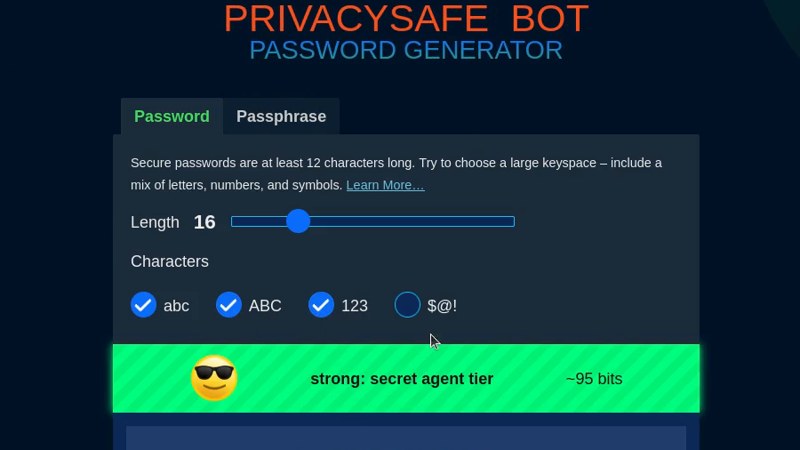
- 0:00 Password tab with length 16 and lowercase letters only. The readout says about 75 bits, in its strong tier.
- 0:04 Uppercase letters are added: about 91 bits.
- 0:08 Numbers and symbols are added: about 101 bits.
- 0:12 The length slider moves to 30 and then 32 with every character set: about 189 and 201 bits.
- 0:20 Back to lowercase only. 32 letters give about 150 bits, then 17 letters give about 80 bits.
- 0:28 Length 8 with lowercase only: about 38 bits, labeled weak.
- 0:33 The Passphrase tab opens with a word count of 6. The readout says about 78 bits.
- 0:40 The delimiter changes between hyphen, period and other options. Each choice changes how the words are joined.
- 0:48 Eight words with a space: about 103 bits.
- 0:56 Four words give about 52 bits and are labeled good. Three words give about 39 bits and are labeled weak.
Strength is a count of guesses
8 random lowercase letters        about 38 bits
16 random lowercase letters       about 75 bits
16 letters, numbers and symbols   about 101 bits
3 random words                    about 39 bits
4 random words                    about 52 bits
6 random words                    about 78 bits
8 random words                    about 103 bits
Each extra bit doubles the guesses. These numbers hold only for random choices. A pattern you made up is weaker than the math says.
Welcome. Let’s count the guesses.
Passwords are the keys to most of our digital lives, yet the advice about them keeps changing: add symbols, change them every month, now use long passphrases. This lesson explains why. You’ll watch a real password and passphrase generator at work, see how strength can be counted in bits, and learn which habits matter most.
The walkthrough video runs about a minute and has no narration, so there is a text description under it. After it, you can open the live tool and try the numbers yourself.
Make a prediction. Before the video you’ll be asked: how many random words make a passphrase as strong as 16 random lowercase letters? Write down a number. The video shows both.
Follow the session in order.
Learn the ideas, watch the walkthrough, then build your own password plan.
2. The walkthrough video
Video, about one minute PrivacySafe Bot at work: length, character sets, words and delimiters, and the strength readout for each. Watch the video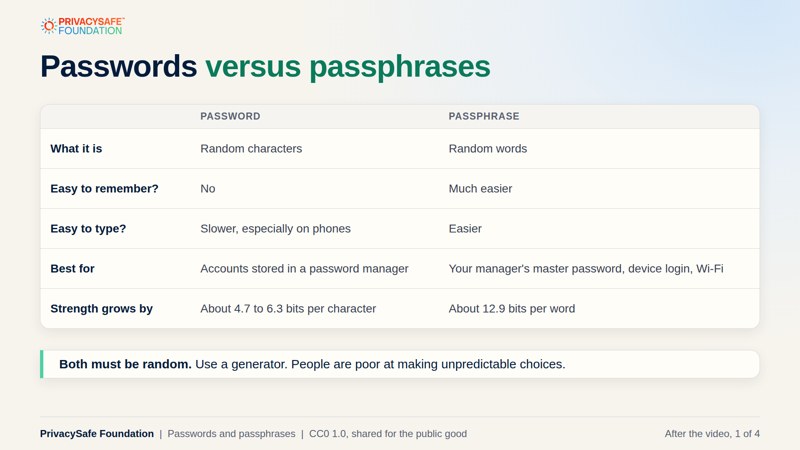
3. After the video
PDF, 4 slides Passwords versus passphrases, reading the readout, unique secrets, managers and second factors, and a plan with discussion questions. Open the slides (light)What you will learn.
The math behind strength, and habits that hold up.
How secrets get guessed
Common passwords, reuse, offline guessing after a breach, and phishing, and which defense matches each.
The math of strength
Bits, pools and wordlists: why six random words match 16 random letters, and why length beats clever substitutions.
Habits that hold up
Unique secrets, a password manager, a second factor or a passkey, and checking for breaches.